(The salaried employee guide to fixing tax declaration, HRA, 80C, 80D, NPS, old vs new regime, previous employer income and payroll proof submission before your salary gets cut every month.)
Quick Answer
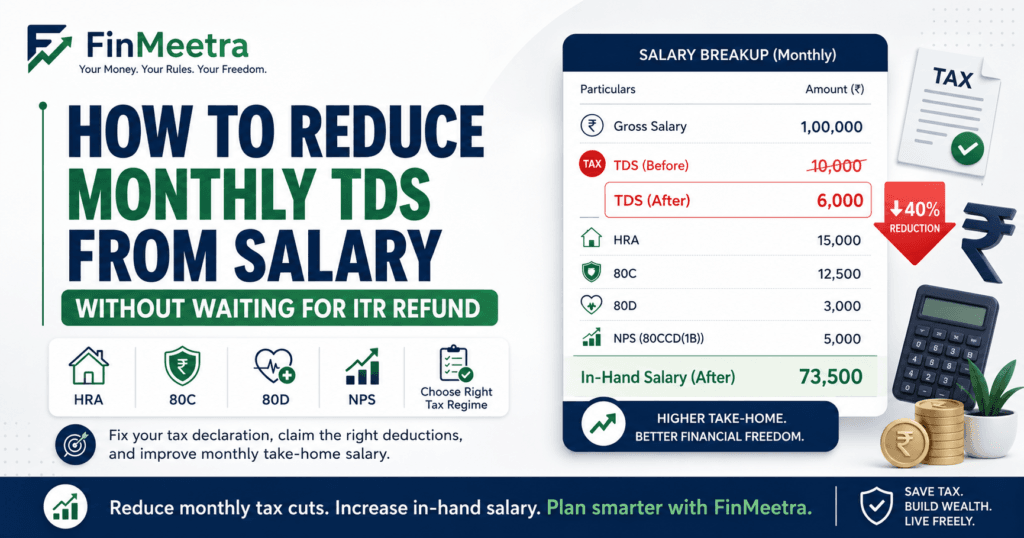
To stop high TDS from reducing your monthly take-home salary, do not wait until ITR filing. First check why payroll is deducting more tax. Then update your tax declaration, choose the right tax regime, submit valid Form 12BB proofs, claim eligible HRA, 80C, 80D, NPS and home loan benefits, include previous employer income correctly, report other income honestly and ask payroll to revise TDS from the next salary cycle. If your employer has already over-deducted tax, the remaining year’s TDS may reduce after correction, but excess already deducted may come back only through ITR refund.
If your salary looks high on paper but your bank account still feels weak, TDS is only one part of the take-home puzzle. First understand where salary deductions actually hide inside CTC so that you do not blame tax for every monthly shortfall.
High TDS is frustrating because it does not feel like a future tax adjustment. It feels like money disappearing from the month you are living in. Rent, EMI, school fee, groceries and fuel do not wait for ITR refund. That is why salary TDS should be managed during the year, not discovered after March.
Why High TDS Feels Worse Than Annual Tax
Annual tax is a number. Monthly TDS is cash flow. When payroll deducts extra TDS every month, your yearly tax may still be technically correct, but your monthly life becomes tight. This is especially painful for salaried employees with EMIs, rent, family expenses or job-switch salary overlap.
Many employees think high TDS means the company is doing something wrong. Sometimes payroll is wrong, but often payroll is simply working with incomplete information. If you did not submit proofs, missed the declaration window, chose the wrong regime, did not declare rent, forgot 80D, or changed jobs without sharing old salary details, payroll may assume higher taxable income and deduct accordingly.
| FinMeetra view TDS is not your enemy. Poor salary tax planning is. Payroll can only calculate based on what you declare, prove and submit on time. |
What Is Salary TDS and Why Does Your Employer Deduct It?
Salary TDS is tax deducted by the employer from salary during the financial year. The employer estimates your annual taxable salary, considers applicable exemptions and deductions based on your declaration and proofs, calculates estimated annual tax and spreads that deduction across remaining salary months.
This means your monthly TDS can change during the year. It can increase after bonus, promotion, proof rejection, missed declaration, previous employer salary adjustment or regime change. It can also reduce after correct proof submission, deduction declaration or payroll correction.
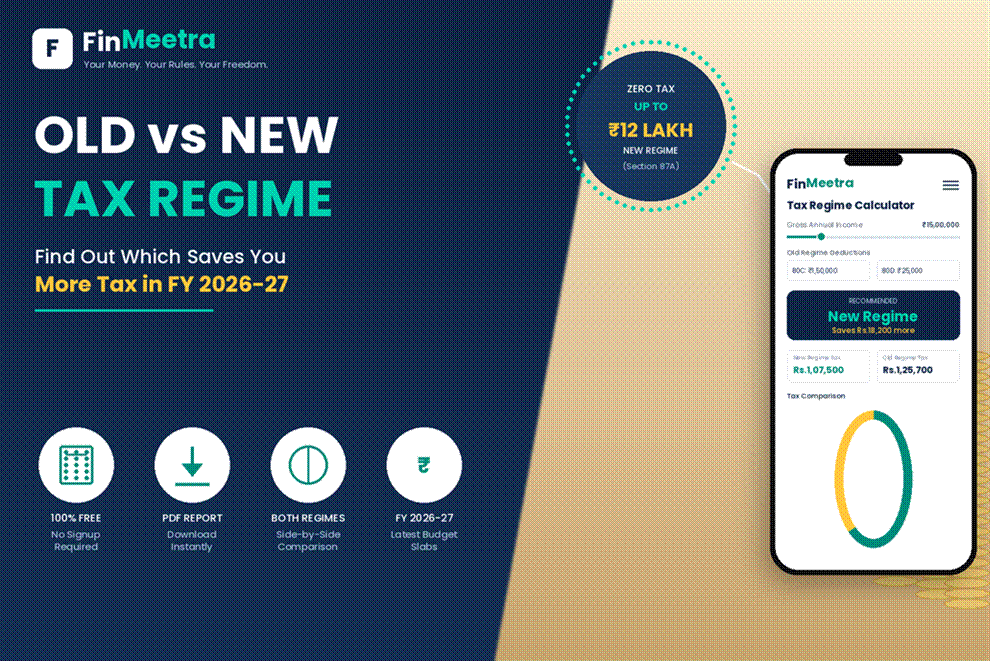
Before you assume old regime is always better because of deductions, compare both outcomes using the Old vs New Tax Regime Calculator. This one check can prevent a year of wrong monthly TDS assumptions.
Common Reasons Your Monthly TDS Suddenly Becomes High
| Reason | What Payroll May Assume | How It Affects Take-Home |
| Wrong tax regime selected | Your deductions may not be usable in payroll | Higher monthly TDS than expected |
| 80C not declared or proof not submitted | No eligible 80C reduction considered | Taxable salary increases |
| HRA not claimed correctly | Rent benefit ignored or reduced | Old regime tax increases |
| 80D/NPS/home loan missed | Deductions outside 80C ignored | More tax deducted monthly |
| Previous employer income not reported | Current employer gives slab benefit again | Tax shortfall later gets recovered |
| Bonus or variable pay added | Annual income projection rises | TDS spikes in bonus month or later months |
| Proof rejected near year-end | Earlier declaration removed from payroll | TDS jumps sharply in Jan-Mar |
| Other income declared without TDS credit | Interest/rent/other income increases tax | Monthly TDS rises to cover gap |
The Biggest Mistake: Waiting for ITR Refund
Many employees let high TDS continue because they believe, “I will get refund anyway.” That may be true, but it is not always smart. A refund is your own money coming back late. During the year, that same money could have reduced credit card pressure, supported an emergency fund or kept monthly cash flow stable.
If high TDS is making your monthly budget crack, rebuild your cash flow using the 50-30-20 monthly budget rule before deciding whether to cut expenses, reduce debt or correct payroll tax first.
The goal is not to illegally reduce TDS. The goal is to ensure payroll is not over-deducting because of missing information.
The FinMeetra Monthly TDS Rescue Calculator
Use this calculator section on the blog page to estimate whether your monthly TDS is reasonable or too high. Enter your annual salary, bonus, current monthly TDS, remaining salary months, eligible deductions, rent, HRA, 80C, 80D, NPS, home loan interest, previous employer income, other income and TDS already deducted. The calculator should estimate annual tax, expected total TDS, required monthly TDS for remaining months and possible take-home improvement after correction.
Monthly TDS Reduction Calculator
Estimate whether your salary TDS can reduce after updating tax regime, HRA, 80C, 80D, NPS, home loan interest and payroll proof. This is a planning tool, not a substitute for your employer payroll or official tax calculator.
1. Salary and current TDS details
2. Declaration and proof details
Enter your details and calculate
The calculator will show whether your monthly salary TDS may reduce after payroll corrections.
| Particulars | Amount | Comment |
|---|
| Calculator Output | Meaning | Action |
| Current TDS looks high | Payroll may be missing deductions or regime benefit | Review declaration and proofs |
| Current TDS looks reasonable | Monthly deduction broadly matches tax projection | Do not force artificial reduction |
| TDS may spike later | Remaining months are too few to spread tax | Fix declarations before proof deadline |
| Old regime likely helps | HRA/deductions are meaningful | Submit proofs properly |
| New regime likely helps | Deductions are low or limited | Avoid unnecessary tax-saving purchases |
| Job-switch risk visible | Previous employer salary not adjusted | Share prior Form 16/payslip/TDS details |
Step 1: Check Whether the Problem Is Regime Selection
Your tax regime is the foundation of salary TDS. Under the old regime, many deductions and exemptions can reduce taxable income, but you must declare and support them. Under the new regime, tax rates may be lower, but most common old-regime deductions and exemptions are restricted. Choosing old regime without deductions can increase tax. Choosing new regime while you have strong HRA and deductions can also cost you.
Do not choose based on WhatsApp advice, office discussion or last year’s habit. Your correct regime depends on salary, HRA, rent, 80C, 80D, NPS, home loan interest and other deductions.
If HRA is a big part of your salary, read the hidden HRA benefit most salaried employees lose before choosing the new regime only because it looks simpler.
Step 2: Submit Form 12BB Correctly
Form 12BB is the declaration format employees use to provide details of claims to the employer for salary TDS calculation. It generally covers HRA, LTC, interest on borrowed capital and tax-saving claims/deductions. If you do not submit the required declaration and evidence through your employer portal, payroll may not consider the benefit while calculating TDS.
Do not treat Form 12BB as a year-end formality. It is the bridge between your actual tax eligibility and payroll’s monthly TDS calculation.
| Proof / Declaration | Where It Helps | Common Mistake |
| Rent receipts / agreement / landlord PAN where applicable | HRA exemption under old regime | Rent declared but proof not uploaded |
| 80C proofs | PF, ELSS, life insurance, PPF, principal repayment etc. | Assuming declaration is enough without proof |
| 80D proofs | Health insurance premium | Forgetting parents’ policy or payment mode rules |
| NPS contribution proof | Additional NPS deduction where eligible | Missing 80CCD(1B) declaration |
| Home loan interest certificate | House property interest benefit where allowed | Using old numbers from previous year |
| Previous employer salary/TDS details | Correct annual tax projection after job switch | Not sharing previous employer income |
Step 3: Fix HRA Before Payroll Closes Proof Submission
HRA can be one of the biggest monthly TDS reducers for employees living on rent, but only under the applicable regime and only when correctly supported. Payroll usually needs rent details, landlord details, rent receipts, rent agreement and payment evidence depending on employer policy. If your rent is genuine but documents are weak, the benefit may be rejected in payroll.
A rejected HRA claim near year-end can create a sudden TDS jump. The employer may have considered HRA earlier based on declaration, but once proof is missing or rejected, taxable salary increases and the remaining months carry the extra TDS burden.
HRA is only one salary tax lever. To see other pieces that payroll may ignore, check tax-free salary benefits like food, fuel, phone bills and LTA and ask whether your salary structure is flexible enough to use them.
Step 4: Do Not Stop at 80C
80C is famous because it is simple to remember, but high TDS is often caused by employees stopping their tax planning at 80C. If the old regime is better for you, then 80D, NPS, HRA, home loan interest, education loan interest and other eligible items can matter. The goal is not to buy random tax-saving products. The goal is to claim what genuinely applies.
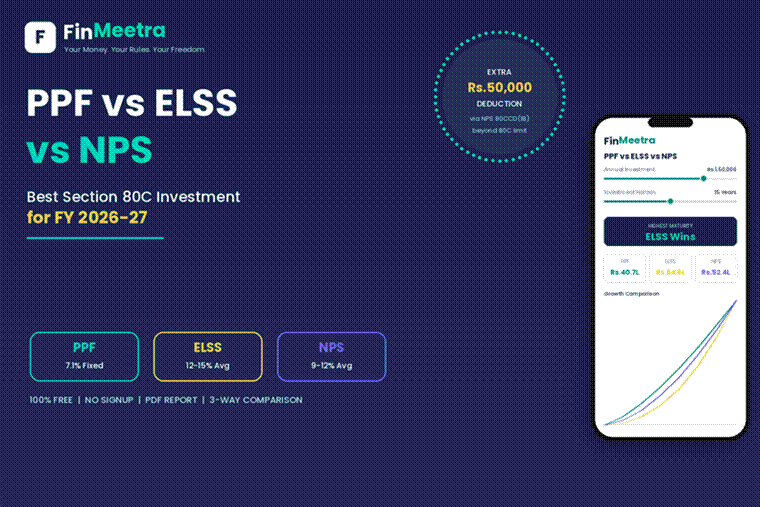
Before making last-minute investments only to reduce TDS, use the PPF vs ELSS vs NPS Calculator so the tax-saving product does not become tomorrow’s liquidity problem.
| Item | Can Reduce Payroll TDS? | What to Check |
| 80C | Yes, under eligible conditions | PF, ELSS, PPF, life insurance, principal repayment and limits |
| 80D | Yes, where applicable | Health insurance premium and eligible family members |
| NPS 80CCD(1B) | Yes, where applicable | Additional voluntary NPS contribution |
| Employer NPS 80CCD(2) | Can be powerful | Whether employer offers NPS component |
| Home loan interest | Depends on regime/property rules | Interest certificate and property details |
| HRA | Old regime benefit generally | Rent, HRA, salary and documentation |
Step 5: Handle Previous Employer Income Properly After Job Switch
Job switch is one of the biggest reasons salaried employees face high TDS later in the year. If your new employer does not consider previous employer income, it may calculate tax as if you started fresh. This can create a shortfall. When the mismatch becomes visible later, payroll or ITR calculation may suddenly show higher tax.
Share previous employer salary, taxable income and TDS details with current payroll through the required declaration process. If the employer portal asks for previous employment details, do not ignore it.
This is also why a salary hike should not be judged only by CTC. If you are planning a switch, read the offer letter trap before celebrating a higher package that may not translate into better monthly cash flow.
Step 6: Check Bonus and Variable Pay TDS Before It Hits Your Payslip
Bonus months feel strange because salary may increase, but TDS may also jump. Payroll often adds bonus or variable pay to annual taxable income and recalculates total tax. If earlier months had lower TDS, the remaining months may absorb the shortfall. This is why a bonus can arrive with an unpleasant tax shadow.
If you know bonus is coming, calculate annual tax before payout month. Update deductions early. If you wait until the bonus is processed, the payslip may already be sliced.
A higher salary or bonus does not automatically fix money pressure. If every hike disappears into tax, EMIs and lifestyle, read the salary hike trap to understand why cash flow needs planning along with income growth.
Step 7: Ask Payroll for a Revised TDS Working
Once you update declarations and proofs, do not just hope the next payslip improves. Ask payroll or HR for the revised annual tax computation. This computation should show annual gross salary, exemptions, deductions, taxable income, estimated tax, TDS already deducted and balance TDS to be deducted in remaining months.
The magic number is not only total annual tax. The important number is balance TDS divided by remaining salary months. That is what decides whether your next take-home improves or remains tight.
| Question to Ask Payroll | Why It Matters |
| Which tax regime is currently selected for my payroll TDS? | Wrong regime can distort monthly deduction |
| Which deductions/exemptions are considered in my tax computation? | Shows whether proofs were accepted |
| How much TDS has already been deducted? | Past deduction cannot always be reversed in salary |
| What is my estimated annual tax after latest proof submission? | Confirms revised liability |
| What TDS will be deducted per month going forward? | Shows actual take-home impact |
| What is the last date for declaration/proof correction? | Prevents year-end TDS shock |
Realistic Example: How TDS Can Fall After Correct Payroll Declaration
Consider a salaried employee earning ₹18 LPA. Monthly TDS is ₹22,000 because payroll considered the new regime by default and did not include rent, 80D or NPS. The employee lives on rent, has eligible 80C, pays health insurance and contributes to NPS. After reviewing old vs new regime and uploading valid proofs, payroll revises the annual computation.
| Item | Before Correction | After Correction | Impact |
| Annual salary | ₹18,00,000 | ₹18,00,000 | No change |
| Tax regime | New regime assumed | Old regime selected after comparison | Regime benefit considered |
| HRA | Not considered | Eligible amount considered | Taxable income reduces |
| 80C | Partly considered | Full eligible proof submitted | Deduction restored |
| 80D | Missed | ₹25,000 considered | Taxable income reduces |
| NPS | Missed | ₹50,000 considered where eligible | Additional deduction considered |
| Monthly TDS | ₹22,000 | ₹13,500 estimated | Take-home improves by ₹8,500/month |
| Result | Waiting for refund | Better salary cash flow | Monthly pressure reduces |
This is not tax evasion. This is payroll correction. The employee is not asking the company to deduct less without reason. The employee is making sure the employer considers the right regime, valid deductions and genuine proofs while estimating salary TDS.
What If Too Much TDS Has Already Been Deducted?
If excess TDS has already been deducted in earlier months, payroll may reduce future TDS if there is enough salary left in the year and if the revised annual tax computation supports it. But if the financial year is almost over, there may not be enough remaining months to adjust everything. In that case, you may need to claim the excess through ITR refund.
Before filing ITR, do not assume refund will automatically arrive smoothly. Use the Form 16 refund checklist to match Form 16, AIS, Form 26AS, bank details and tax credits before submission.
What Not to Do Just to Reduce TDS
High TDS can be annoying, but desperate tax planning can create bigger problems. Do not submit fake rent receipts, do not claim deductions without proof, do not buy poor financial products only for tax saving, do not hide previous employer salary and do not ignore AIS or Form 26AS mismatches. A smaller monthly TDS is not worth a future notice, penalty risk or bad financial product.
Also remember that not every high TDS is wrong. Sometimes your salary, bonus, other income or low deductions genuinely create higher tax. In that case, the better solution is cash flow planning, not artificial TDS reduction.
If high TDS is pushing you toward credit card usage or EMI stress, use the EMI Calculator to see whether prepayment, restructuring or faster repayment gives you more relief than chasing small tax adjustments.
The 7-Step FinMeetra Payroll TDS Correction Flow
| Step | Action | Why It Works |
| Step 1 | Download latest payslip and payroll tax computation | Find current TDS logic |
| Step 2 | Check selected tax regime | Avoid wrong regime deduction |
| Step 3 | List HRA, 80C, 80D, NPS, home loan and other eligible items | Identify missed benefits |
| Step 4 | Upload Form 12BB declaration and valid proofs | Give payroll legal basis to revise TDS |
| Step 5 | Add previous employer income and TDS if job switched | Avoid year-end shortfall |
| Step 6 | Ask payroll for revised annual tax and monthly TDS | Confirm take-home impact |
| Step 7 | Review next payslip and keep documents for ITR | Close the loop |
When Should You Fix High TDS?
The best time is April to June, when the year is fresh and payroll has enough months to spread the correct TDS. The second-best time is immediately after salary change, bonus communication, rent change, home loan start, health insurance renewal, NPS contribution or job switch. The worst time is March, when payroll has almost no months left to correct the damage.
If your company opens declaration in phases, do not wait for the final proof window. Declare early, arrange documents early and keep a personal tax folder. Salary tax planning is boring until your take-home suddenly drops by ₹15,000.
Once your monthly TDS improves, do not let the extra cash disappear. Route part of it into an emergency fund guide so a tax correction becomes financial stability, not extra spending.
Monthly TDS Reduction Checklist
| Checklist Item | Status |
| Downloaded latest payslip and tax computation | ☐ |
| Checked current payroll tax regime | ☐ |
| Compared old vs new regime | ☐ |
| Updated rent and HRA details | ☐ |
| Uploaded rent receipts/agreement/payment proof where required | ☐ |
| Declared and proved 80C investments/payments | ☐ |
| Added 80D health insurance proof | ☐ |
| Added NPS proof where applicable | ☐ |
| Updated home loan interest/principal details where applicable | ☐ |
| Reported previous employer salary/TDS after job switch | ☐ |
| Checked bonus/variable pay impact | ☐ |
| Asked payroll for revised monthly TDS | ☐ |
| Reviewed next payslip after correction | ☐ |
Key Takeaways
- High TDS is often caused by incomplete payroll declarations, not only high salary.
- TDS should be managed during the year instead of waiting for ITR refund.
- The right tax regime is the foundation of salary TDS planning.
- Form 12BB and valid proofs help payroll consider eligible deductions and exemptions.
- HRA, 80C, 80D, NPS and home loan benefits can reduce TDS only when applicable and documented.
- Job switch can create TDS mismatch if previous employer income is ignored.
- Bonus and variable pay can increase monthly TDS suddenly.
- Ask payroll for revised tax computation after submitting corrections.
- Do not submit fake claims or buy bad products only to reduce TDS.
- Use improved take-home salary for emergency fund, debt cleanup or investing.
Frequently Asked Questions
Q: Can I ask my employer to reduce TDS from salary?
You can ask your employer to revise TDS only when there is a valid basis, such as corrected tax regime, eligible deductions, HRA proof, previous employer details or revised income projection. Payroll cannot simply reduce TDS without supporting information.
Q: Why did my salary TDS suddenly increase?
Common reasons include bonus, proof rejection, missed declarations, previous employer income adjustment, wrong regime selection, lower deductions than declared or year-end tax shortfall recovery.
Q: Can HRA reduce monthly TDS?
Yes, if you are eligible, under the applicable regime, and your employer accepts valid rent proof and related documents. HRA usually needs proper declaration and documentation.
Q: Is 80C enough to reduce high TDS?
Not always. 80C is only one part. Depending on your situation, 80D, NPS, HRA, home loan interest and other eligible items may also matter.
Q: What happens if I submit investment proofs late?
Your employer may reject the proof for payroll calculation or deduct higher TDS in remaining months. You may still be able to claim eligible deductions in ITR if legally allowed and properly documented, but monthly cash flow may suffer.
Q: Should I choose old regime or new regime to reduce TDS?
Choose based on actual numbers. Old regime may help if deductions and HRA are strong. New regime may help if deductions are low. Compare before selecting.
Q: Can excess TDS already deducted be reversed in salary?
Sometimes future TDS can reduce if there are enough remaining months and revised computation supports it. Otherwise, excess may come back through ITR refund.
Q: Does previous employer salary affect current employer TDS?
Yes. If you changed jobs, previous employer salary and TDS should be considered to estimate annual tax correctly. Ignoring it can create year-end tax payable or TDS spike.
Q: Is reducing TDS legal?
Reducing TDS legally means giving correct information and valid proofs so payroll deducts accurate tax. Fake claims or hiding income is not legal tax planning.
Q: What should I do after payroll updates my TDS?
Check the next payslip, compare TDS with revised computation, save proofs and keep the documents ready for Form 16 and ITR filing.
Smart Next Steps on FinMeetra
Do not treat this as a related-links dumping ground. Follow this order based on your actual problem:
1. If you are unsure whether payroll is deducting extra tax, revisit How to Stop Extra TDS From Eating Your Monthly Salary.
2. If regime confusion is the main issue, compare both outcomes using the Old vs New Tax Regime Calculator.
3. If your salary structure itself is weak, study The Hidden Tax Savings Most Salaried Employees Miss in Their Salary Structure before your next CTC discussion.
4. If take-home improves after correction, decide whether to build safety using the Emergency Fund Guide or invest using the SIP Calculator.
Useful External Resources
- Income Tax Department salaried individual resources
- Income Tax Department income tax calculator
- Income Tax Department old vs new regime FAQs
- Income Tax Department AIS resources
Enjoyed This Blog? Here Is What You Can Do Next
Leave a Comment — Did your monthly TDS ever suddenly increase after proof rejection, bonus or job switch?
Subscribe to FinMeetra Newsletter — Practical salary, tax, investing and financial freedom guides every week.
Use the Monthly TDS Rescue Calculator — Estimate whether your current monthly TDS is reasonable and what to fix before payroll closes.
Disclaimer
This blog is for educational and informational purposes only. It does not constitute financial advice, tax advice, legal advice, investment advice, payroll advice or return-filing advice. Income tax rules, employer payroll policies, proof deadlines, deduction eligibility, tax regime treatment, Form 12BB requirements, HRA documentation, TDS calculation, surcharge, cess, rebate and ITR outcomes may vary by taxpayer, employer, financial year and personal facts. Please verify details using official Income Tax resources and consult a qualified tax professional before filing returns or making tax decisions.
© 2026 FinMeetra.com | All Rights Reserved