
(The salary tax mistakes, AIS mismatches and missed deductions every Indian salaried employee should verify before filing ITR.)
Quick Answer
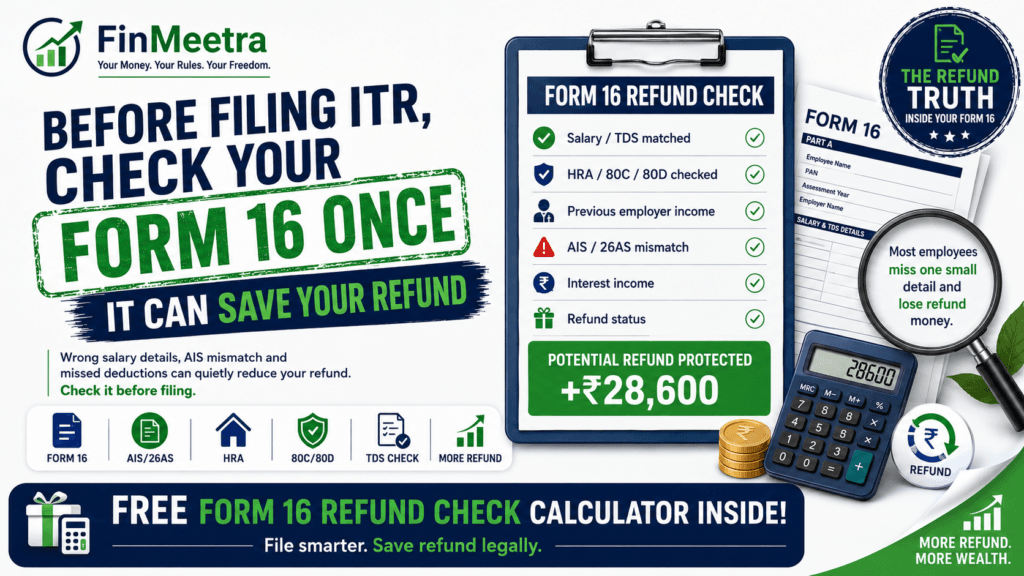
Before filing ITR, every salaried employee should cross-check Form 16 with AIS, Form 26AS, payslips, investment proofs, bank interest, previous employer income and the correct old vs new tax regime. Form 16 is important, but it is not the complete ITR truth. If you file blindly using only Form 16, your refund may reduce, your return may show extra tax payable, or your ITR may carry a mismatch that later creates a notice.
Form 16 mainly tells you what your employer reported, what salary was considered and what TDS was deducted. AIS and Form 26AS may show additional information such as TDS/TCS, SFT information, payment of taxes, demand/refund and other income signals. Your ITR should reconcile all these numbers before you click submit.
Simple rule: Form 16 starts your ITR. It should not finish your ITR.
Ankit Expected a Refund. His ITR Asked for More Tax.
Ankit works in Hyderabad and earns around Rs. 18 LPA. His company deducted TDS every month. In June, he downloaded Form 16, smiled at the TDS number and assumed a small refund would come. The refund already had a mental booking: one part for a weekend trip, one part for credit card cleanup, and one part for finally starting a SIP.
Then he opened the ITR portal. Instead of a refund, the utility showed tax payable.
The first reaction was confusion. The second reaction was irritation. The third reaction was the dangerous one: “Maybe the portal is wrong.”
But the portal was not the villain. The real issue was reconciliation. His Form 16 did not include Rs. 46,000 bank interest from savings account and fixed deposits shown in AIS. He had switched jobs during the year, and the old employer salary was not fully captured in the new employer’s payroll projection. His HRA exemption in Form 16 was lower than what he could actually claim because rent proof was uploaded late. He also forgot professional tax paid in one month from his previous job.
His Form 16 was not useless. It was just incomplete for final ITR filing. It was one chapter, not the whole book.
First, What Is Form 16 Actually Telling You?
Form 16 is a TDS certificate issued when tax is deducted from salary. It has two parts. Part A generally gives TDS details, employer TAN, employee PAN, tax deposited and quarter-wise deduction information. Part B gives salary breakup, allowances, exemptions, deductions, rebates and tax computation allowed by the employer.
This makes Form 16 powerful. But it also makes employees overconfident. The employer does not always know everything about your year. It may not know your complete bank interest, dividend income, capital gains, previous employer salary, rent proof correction, rejected deduction, side income, or some AIS entries. That is why ITR filing must compare Form 16 with AIS, Form 26AS and your own documents.
| Form 16 Part | What It Usually Shows | What You Should Check |
| Part A | TDS deducted and deposited by employer | PAN, employer TAN, assessment year, quarter-wise TDS, total tax deposited |
| Part B | Salary, allowances, exemptions, deductions and tax computation | Gross salary, HRA, standard deduction, professional tax, 80C, 80D, NPS, regime used |
| Form 26AS | Tax credit and TDS/TCS records | Whether TDS in Form 16 appears correctly against your PAN |
| AIS/TIS | Broader income and financial information | Bank interest, dividends, SFT, other TDS, feedback requirement and duplicate entries |
| Your records | Reality check | Payslips, rent receipts, investment proofs, bank statements and previous employer Form 16 |
Why Form 16 Alone Can Reduce Your Refund
A refund is not created just because TDS was deducted. A refund happens only when total taxes paid are higher than your correct final tax liability. If your ITR finds additional income or removes deductions, your refund can shrink. If the gap is large, refund can become tax payable.
The dangerous part is that the mismatch often looks small. A few thousand rupees of bank interest. A previous employer salary month. A missed 80D premium. A wrong regime choice. A rejected HRA claim. One item alone may not scare you. Together, they can quietly eat the refund.
| Mistake | What Employee Thinks | What Actually Happens |
| Only Form 16 used | Employer already deducted tax, so I am safe | AIS may show additional taxable income |
| Form 26AS not checked | TDS in Form 16 is enough | Tax credit may not match or may be missing |
| Bank interest ignored | It is a small amount | Interest is taxable and may appear in AIS |
| Previous employer income missed | New employer handled TDS | Final annual slab can change after combining salaries |
| Wrong regime used | The lower TDS option is better | Final tax can be higher if deductions do not match |
| Deductions copied blindly | HR accepted it, so it is final | ITR should reflect actual eligible claims and proofs |
Form 16 Refund Check Calculator
Before reading further, check your refund risk honestly. Enter salary as per Form 16, employer TDS, previous employer income, AIS interest income, other taxable income, actual deductions and tax credits. The calculator will estimate whether you may get a refund, pay extra tax or fix a mismatch before filing.
Form 16 Refund Check Calculator
Check refund, tax payable, AIS mismatch and old vs new regime before filing ITR
Form 16 is not everything
It starts your ITR, but AIS, 26AS and your own records complete the picture.
AIS can change refund
Bank interest, dividends or previous employer income can reduce refund or create tax payable.
Tax credit must match
Check whether TDS shown in Form 16 appears correctly in Form 26AS/AIS.
What Your Calculator Result Means
| Result | Meaning | Action |
| Refund expected | Taxes paid exceed estimated tax liability | Still verify AIS, 26AS and bank account before filing |
| Small tax payable | Minor income or deduction mismatch exists | Pay self-assessment tax before filing if needed |
| Large tax payable | Your Form 16 view was incomplete | Check AIS income, previous employer salary and missing tax credits |
| Form 16 refund is higher than ITR refund | Other income or lower deduction reduced refund | Do not file blindly. Reconcile first. |
| Tax credit mismatch | TDS shown in Form 16 does not match total available credit | Verify Form 26AS/AIS and ask deductor if needed |
| Old regime wins | Deductions and HRA are valuable | Ensure proof-backed claims are correctly entered |
| New regime wins | Lower slabs beat deductions | Do not force tax-saving investments just to reduce tax |
The 10 Form 16 Checks Every Salaried Employee Should Do
Check #1: PAN, Name and Assessment Year
Start with the boring details because boring details create expensive errors. Check your PAN, name, employer TAN, financial year and assessment year. For income earned during FY 2025-26, you generally file under AY 2026-27. If the basics are wrong, do not rush into filing. Ask payroll to correct the source document or guide you.
Check #2: Total Gross Salary vs Payslips
Your Form 16 gross salary should broadly match your annual payslips, bonus, arrears and taxable reimbursements. If you received a joining bonus, retention bonus, leave encashment, variable pay or notice pay recovery, check whether it is correctly reflected. One missing bonus can turn refund into tax payable.
Check #3: Standard Deduction and Professional Tax
Salaried employees commonly receive standard deduction under salary income. Professional tax, where applicable, should also be checked. If professional tax from previous employer is missing, your taxable income may be slightly overstated. Small numbers matter because they stack.
Check #4: HRA Exemption
HRA is one of the biggest old-regime checks. Compare HRA exemption in Form 16 with your actual rent, basic salary, city classification and rent proof. If you uploaded proof late or employer allowed a lower amount, your ITR may still allow eligible HRA if you have valid evidence. But do not claim imaginary rent. HRA is a tax benefit, not a creative writing contest.
If you are unsure, read FinMeetra’s Hidden HRA Benefit article and use the HRA calculator before filing.
Check #5: Section 80C
Do not assume 80C means only ELSS or LIC. Employee PF, PPF, ELSS, tuition fees, principal repayment of housing loan and other eligible payments may be considered subject to limits. Also do not buy a random policy in March just because the 80C number looks empty. A bad tax-saving product can haunt your cash flow longer than one tax season.
Check #6: Section 80D Health Insurance Premium
Check actual premium paid, not sum insured. If you paid health insurance for yourself, spouse, children or parents, verify whether Form 16 captured it correctly. Keep premium receipt and payment proof. A policy document alone may not be enough for clean proof.
Check #7: NPS and Employer Contribution
NPS can appear in two ways: employee’s own contribution and employer’s contribution. Self-contribution may matter under the old regime, while employer NPS contribution can be relevant depending on salary structure and applicable rules. Check Form 16 carefully because NPS is often misunderstood, under-entered or ignored.
Check #8: Previous Employer Salary
Job switchers should be extra careful. If you changed jobs during the year, you may have two Form 16s. Your ITR should include salary from both employers. If the new employer did not consider old employer income while deducting TDS, final tax may increase after combining salaries. This is one of the classic reasons for tax payable despite monthly TDS.
Check #9: AIS Income and Form 26AS Tax Credit
AIS may show bank interest, dividends, mutual fund transactions, securities transactions, TDS from banks and other information. Form 26AS focuses on tax credit details such as TDS/TCS and taxes paid. From AY 2023-24 onwards, Form 26AS on TRACES displays only TDS/TCS-related data, while other details are available in AIS. This makes AIS checking non-negotiable.
Check #10: Bank Account for Refund
Even if your refund calculation is correct, refund processing can get stuck if your bank account is not validated or linked correctly in the e-filing portal. Check bank validation, PAN seeding and refund account details before filing. A correct refund in the ITR is not the same as money arriving in your account.
The Form 16 vs AIS Reconciliation Table
| Item | Where to Check | Common Issue | Fix Before Filing |
| Salary income | Form 16 Part B + payslips | Bonus, arrears or previous employer salary missing | Add correct salary income |
| TDS on salary | Form 16 Part A + Form 26AS | TDS not reflecting fully | Check 26AS and ask employer if mismatch remains |
| Bank interest | AIS/TIS + bank statement | Interest not included in Form 16 | Add income from other sources |
| Dividend income | AIS/TIS + broker statement | Small dividend ignored | Include taxable dividend income |
| HRA | Form 16 + rent proofs | Lower exemption allowed by employer | Claim only eligible amount with proof |
| 80C | Form 16 + proof files | EPF, tuition or principal repayment missed | Enter eligible actual amount |
| 80D | Insurance receipt | Policy cover confused with premium | Claim premium paid, subject to limits |
| Previous employer | Old Form 16 + payslips | Salary not combined | Include both employers |
| Refund bank account | E-filing profile | Bank not validated | Validate before filing |
7-Step Form 16 Refund Rescue Plan
- Download Form 16 Part A and Part B from your employer portal or email.
- Download AIS, TIS and Form 26AS from the Income Tax e-filing portal.
- Match salary, TDS, bank interest, dividends, previous employer income and taxes paid.
- Recalculate old vs new regime using actual deductions, not memory or last year habits.
- Check HRA, 80C, 80D, NPS, professional tax and home loan details with proof.
- Use the Form 16 Refund Check Calculator to estimate refund or tax payable.
- Fix mismatch, pay self-assessment tax if needed, validate bank account and then file ITR.
Case Study: How Ankit Saved His Refund from Disappearing
Ankit thought his refund would be around Rs. 28,000 because Form 16 showed healthy TDS. But after checking AIS and actual deductions, the picture changed. He did not blindly file. He reconciled.
| Item | Before Check | After Check | Impact |
| Salary as per Form 16 | Rs. 18,00,000 | Rs. 18,00,000 | No change |
| Previous employer salary | Ignored | Rs. 1,20,000 added | Taxable income increased |
| Bank interest from AIS | Ignored | Rs. 46,000 added | Other income added |
| HRA exemption | Rs. 1,20,000 | Rs. 1,68,000 eligible | Deduction improved with proof |
| 80C | Rs. 1,20,000 | Rs. 1,50,000 including EPF | Deduction improved |
| 80D | Nil | Rs. 22,000 premium | Deduction improved |
| TDS credit | Rs. 2,22,000 | Rs. 2,33,500 after other TDS | Credit improved |
| Final result | Confusing tax payable | Small refund after reconciliation | ITR became cleaner |
The lesson is not that Form 16 is wrong. The lesson is that Form 16 is not the full filing universe. The refund lives in the difference between employer payroll data and complete taxpayer data.
Form 16 Filing Checklist Before You Click Submit
| Checklist Item | Done? |
| Download Form 16 Part A and Part B | ☐ |
| Match PAN, name, employer TAN and assessment year | ☐ |
| Compare gross salary with annual payslips and bonus | ☐ |
| Check TDS in Form 16 against Form 26AS | ☐ |
| Download AIS/TIS and check bank interest/dividends | ☐ |
| Add previous employer salary if you switched jobs | ☐ |
| Recalculate old vs new regime before filing | ☐ |
| Check HRA exemption with rent proof | ☐ |
| Check 80C, 80D, NPS, professional tax and home loan deductions | ☐ |
| Validate refund bank account on portal | ☐ |
| Pay self-assessment tax if calculator shows tax payable | ☐ |
| Save acknowledgement and computation after filing | ☐ |
Where Should Your Refund Go?
A refund is not free money. It is your own money returning after spending months in tax custody. Treat it like recovered cash flow, not festival bonus.
| Refund Amount | First Priority | Smart Move |
| Up to Rs. 10,000 | Clear small dues or build emergency buffer | Do not spend it before it arrives |
| Rs. 10,000 to Rs. 50,000 | Emergency fund or credit-card cleanup | Split between safety and investment |
| Rs. 50,000 to Rs. 1,00,000 | Close expensive debt faster | Start or increase SIP after safety |
| Above Rs. 1,00,000 | Review tax planning and cash flow | Avoid lifestyle inflation, plan goals |
Connect your refund decision with FinMeetra’s Emergency Fund Guide, SIP Calculator and When Will You Become Financially Free Calculator. A refund can be a tiny ladder rung toward financial freedom if you do not burn it in one weekend.
Key Takeaways
- Form 16 is important, but it is not the complete ITR truth.
- Check Form 16 Part A, Part B, AIS, TIS and Form 26AS before filing.
- Bank interest, dividend income and previous employer salary can reduce your refund.
- TDS deducted from salary does not guarantee refund.
- Old vs new regime comparison should be done using actual deductions for the year.
- HRA, 80C, 80D, NPS and professional tax should match proof-backed eligibility.
- If Form 26AS tax credit does not match, fix the mismatch before filing.
- Validate your bank account before expecting refund credit.
- Use the calculator before filing, not after receiving a notice.
Frequently Asked Questions
Q: Is Form 16 enough to file ITR?
A: Form 16 is very useful, but it may not be enough. You should also check AIS, TIS, Form 26AS, bank interest, previous employer income and actual deductions before filing.
Q: Why is my ITR showing tax payable even after salary TDS?
A: This usually happens when your final income is higher than what payroll estimated, or when deductions/exemptions are lower than assumed. Bank interest, previous employer salary and AIS entries are common reasons.
Q: What is the difference between Form 16 and Form 26AS?
A: Form 16 is a salary TDS certificate issued by employer. Form 26AS shows tax credit details such as TDS/TCS and taxes paid against your PAN.
Q: What is AIS?
A: AIS is Annual Information Statement. It provides a broader view of taxpayer information such as TDS/TCS, SFT information, payment of taxes, demand/refund and other information available with the department.
Q: Should I follow Form 16 or AIS if they differ?
A: Do not blindly follow either. Reconcile with your records. If AIS has incorrect or duplicate data, provide feedback in AIS. If Form 16 has an employer-side issue, contact payroll.
Q: Can I claim deductions not shown in Form 16?
A: You may claim eligible deductions in ITR if allowed under the chosen tax regime and supported by valid proof. Avoid unsupported claims.
Q: Can I change tax regime while filing ITR?
A: Eligible non-business taxpayers generally have flexibility to choose old or new regime while filing, subject to applicable rules. Business/profession cases have stricter option rules.
Q: Why did my refund reduce after adding bank interest?
A: Bank interest is taxable. If it was not considered by employer but appears in AIS, adding it increases taxable income and can reduce refund.
Q: What if my TDS is not visible in Form 26AS?
A: Check AIS/26AS again after some time and ask the deductor/employer to verify TDS filing. Do not ignore missing tax credit.
Q: What should I do before filing if calculator shows tax payable?
A: Recheck inputs, compare with official calculator if needed, pay self-assessment tax if payable, and then file the return accurately.
Related Articles You Should Read Next
- How to Stop Extra TDS From Eating Your Monthly Salary – Fix monthly TDS leakages before they become ITR surprises.
- The Hidden Tax Savings Most Salaried Employees Miss in Their Salary Structure – Understand tax-saving levers inside salary structure.
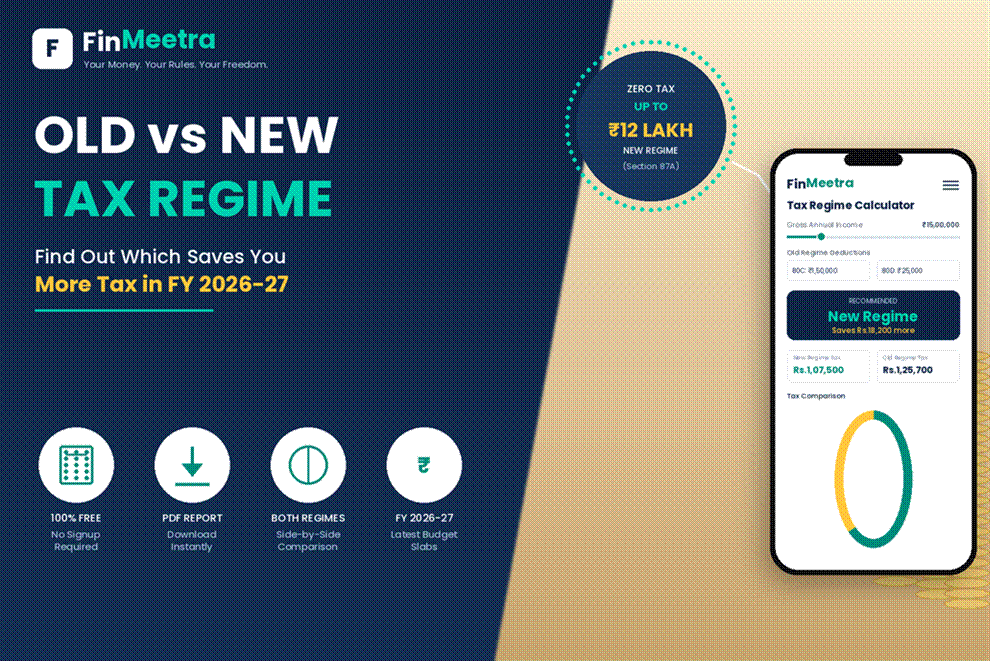
- Old vs New Tax Regime Calculator – Compare regimes before filing ITR.
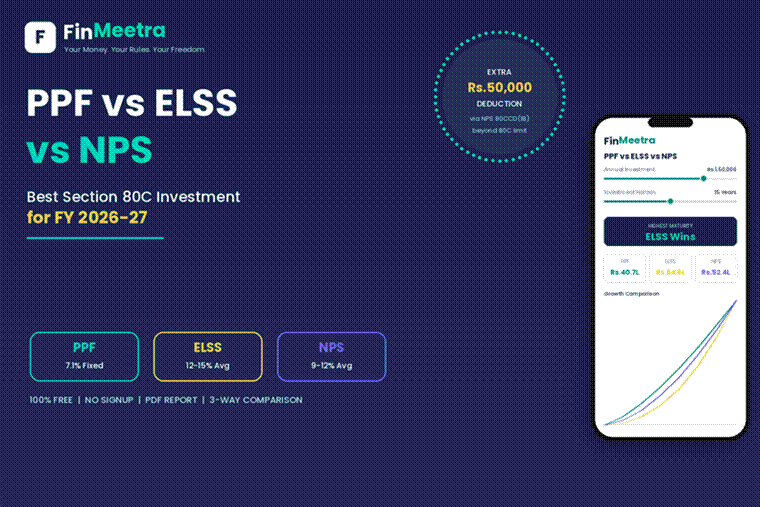
- PPF vs ELSS vs NPS Calculator – Choose tax-saving investments without March panic.
- The Rs.3 Lakh Tax Saving Mistake – Avoid expensive tax-saving decisions.
- The Hidden HRA Benefit Most Salaried Employees Lose After Choosing the Wrong Tax Regime – Check HRA benefit before filing.
- You Earn Rs.20 LPA Salary. Why Does It Feel Poor? – See how salary, tax, EMI and lifestyle affect real comfort.
- Emergency Fund Guide – Use refunds and cash-flow fixes to build safety.
- SIP Calculator – Turn refund money into long-term wealth.
Useful External Resources
- Income Tax Department – Form 16 and Form 16A – Official guidance on Form 16, Part A, Part B and TDS certificate basics.
- Income Tax Department – Salaried Individuals AY 2026-27 – Official salaried taxpayer page for AY 2026-27.
- Income Tax Department – AIS FAQ – Official AIS and Form 26AS FAQ.
- Annual Information Statement – Income Tax Department – Official AIS overview and access steps.
- Income Tax Department – Tax Credit Mismatch FAQ – Official tax credit mismatch help.
- Income Tax Returns FAQ – Official ITR filing and AY 2026-27 guidance.
────────────────────────────────────────────────────────────
Enjoyed This Blog? Here Is What You Can Do Next
- Leave a Comment – Did your refund ever reduce after checking AIS or Form 26AS?
- Subscribe to FinMeetra Newsletter – Real salary, tax and wealth insights every week.
- Use the Form 16 Refund Check Calculator – Check refund or tax payable before filing.
Disclaimer
This blog is for educational and informational purposes only. It does not constitute financial advice, tax advice, legal advice, investment advice, payroll advice or return-filing advice. Income tax rules, surcharge, cess, rebate, deductions, exemptions, AIS information, Form 26AS tax credits, Form 16 treatment, old/new regime eligibility, ITR form applicability, return due dates and refund processing may vary by taxpayer, employer, financial year and personal circumstances. Please verify using official Income Tax resources, Form 16, Form 26AS, AIS/TIS, Form 26AS tax credit, your payroll team and a qualified tax professional before filing your ITR.
© 2026 FinMeetra.com | All Rights Reserved


xuskzkesqxrzdrkdlwsdxwkdglwkuw
dzkszoonjmttuesydjgrllmtupgwlf